<body><script type="text/javascript"> function setAttributeOnload(object, attribute, val) { if(window.addEventListener) { window.addEventListener('load', function(){ object[attribute] = val; }, false); } else { window.attachEvent('onload', function(){ object[attribute] = val; }); } } </script> <div id="navbar-iframe-container"></div> <script type="text/javascript" src="https://apis.google.com/js/platform.js"></script> <script type="text/javascript"> gapi.load("gapi.iframes:gapi.iframes.style.bubble", function() { if (gapi.iframes && gapi.iframes.getContext) { gapi.iframes.getContext().openChild({ url: 'https://www.blogger.com/navbar/29423194?origin\x3dhttp://joomla15.blogspot.com', where: document.getElementById("navbar-iframe-container"), id: "navbar-iframe" }); } }); </script>

Sunday, May 06, 2007

Beta-2 Tabs in Article Parameters


Compared to 1.0, the tabs in 1.5 are much nicer: using Mootools, these are now sliding tabs with a nice animated effect. Look for some small differences in those article parameters... sure you'll discover them.
I'd like to refer to a post by Louis Landry here about precedence of parameter settings, as these are found in 3! different places for an article (that is, content component item):
it is supposed to work as follows

You setup the base component configuration. This is default behavior for the component in any scenario.

A menu item allows you to define a specific configuration for a component. This at its core is the most basic principle of what a menu item is. A specific configuration for a component. Because of this you are allowed to override the base component configuration.

The last step in the cascade of parameters is the specific data model for that request. In the case you are talking about that is the article parameters.

The idea is that an article can override anything that it needs to over even the menu item configuration. You will find that the ability to use global is still present at this level of configuration. This will revert to the menu item configuration for the component if an Itemid is given or the component configuration if no Itemid is given.
Original post here.

Labels: , , , , , ,

Beta-2 Plugins (ex mambots)

Here's a side-by-side of the plugin type selection (filter) in the Manager:

left in red is 1.0: 4 types / Right and below that in blue is 1.5: 8 types, twice as many!

Notice:
the new authentication options,
the XMLRPC addition (now what I'd really like to know is how to use the Blogger API !!!),
the Legacy plugin which allows you to use 1.0.x extensions on 1.5
[Warning: users reported publishing this disables your site: only blank pages!]

Labels: , , , , , , , ,

Beta-2 vs 1.0 toolbar comparisions

Here's some side by sides of toolbars, you'll quickly notice major differences.
Red is 1.0, green is 1.5

Main Admin Menus:
much simpler: 7 items instead of 10!


Article edition/creation:
note the "upload" is no more,
as this is now handled in the image pop-up modal window directly!


Menu Manager toolbar:
a direct link back to the menus, the new "default" button as you now can use any item as homepage (no need anymore to move it to the 1st position of the mainmenu items)!

Labels: , , , , , , , ,

Joomla! 1.5 Beta-2 is out! Template parameters.

On May 4th/5th (depending on your timezone), the Joomla! dev' team finally released the much anticipated beta-2 of the upcoming 1.5 version. This release is more for designers and coders to adapt their code to the new framework, but everyone is invited to test and report bugs so as to speed up release of RC and stable versions. Check out the official announcement.

I'll post some of the new features and comparisions of 1.0.x and 1.5 side by side.

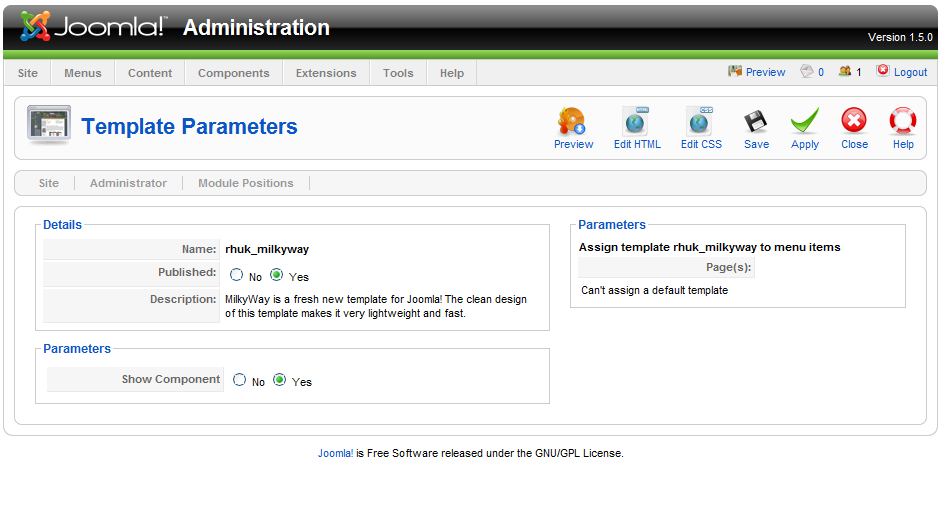
To start with, if you're a designer, you'll want to take a look at the default's Milky Way template parameters and how they are coded. In the administration backend, as you can see below, all the user has to do is set Color and or Background variation, Save, and the look of the site changes instantly!
Now I'd like a way to do this on a per-section/category/item basis.. (is there?)

Also note there's a second template, BEEZ, shipping with this release. Check it out, read the documentation provided for it, it is great for accessibility! (not shown)

Labels: , , , , , ,

Wednesday, January 17, 2007

SEF URLs in Joomla! 1.5 core!


Well, it looks like the dev's heard the people, and gave them what they asked for:
much better URLs as a core functionality!
It's a bit hidden, and you'll need two steps to see the effect:
  1. activate SEF in Global Configuration (make sure .htaccess is ok)
  2. Go to Plugin Manager => System Request Plugin, and set "Build with real names" to yes as per above.
Then, check out the com_content URLs on your test-site ;)

Thanks guys ;)

(read more in this thread)

Labels: , , , , , , ,

Monday, December 18, 2006

Media Manager configuration back in Global Settings


Lacking a few explanations and improved layout (how can you expect a "normal" user knows what number to use for the max file size (in bytes!)?!, but:Media Manager config is back in Global!? Strange moving back'n'forth..

Labels: , , , , , , , , , ,

Menu Item editing feature


Very easy to change a wrong link to an article now:
click the button, in the popup, click the article title, save.

Labels: , , , , , , ,

Sunday, November 05, 2006

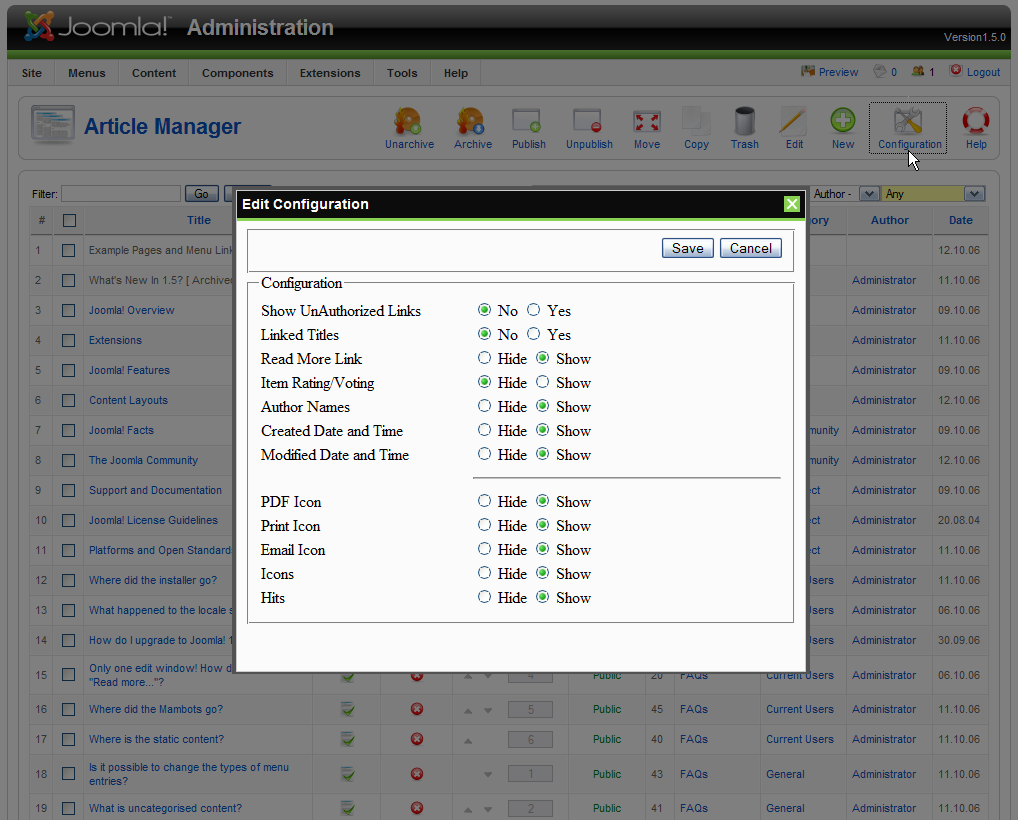
Post beta Configuration changes


Global Config: only 2 submenus left here: site & server


Config for Content: all article-relevant settings moved into
the new style config pop-up, easily accessible.


Configuration settings for users right in the user manager.

Labels: , , , , , , ,

Sunday, October 29, 2006

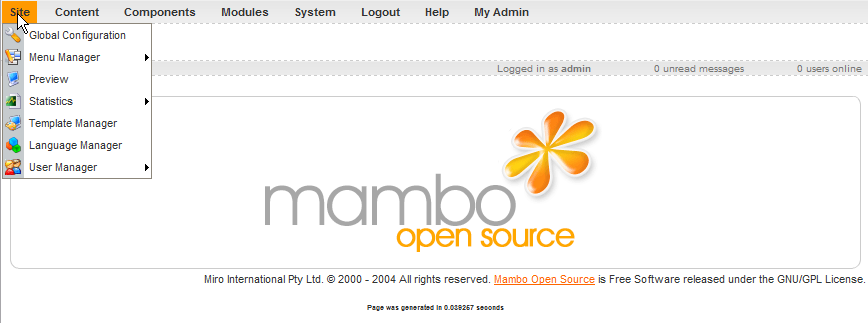
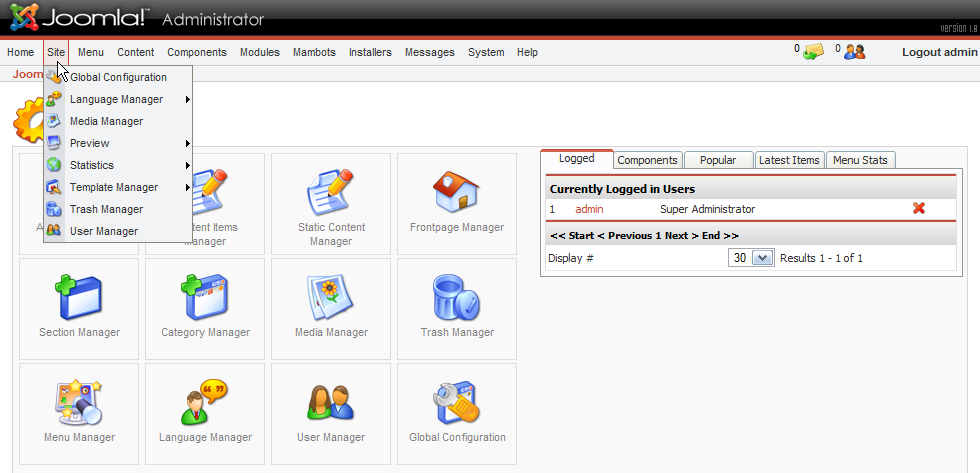
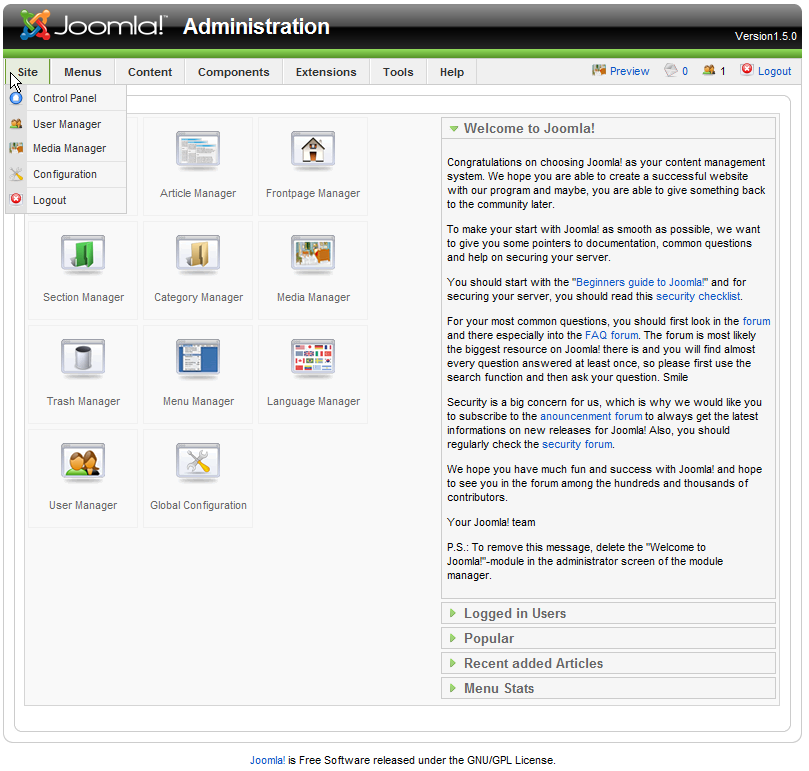
The Site menu evolution


Mambo 4.5.0.1.9


Mambo 4.5.2


Joomla! 1.0.11


Joomla! 1.5 beta

Labels: , , , ,

Some database functionality from Mambo 4.5.1.0.9


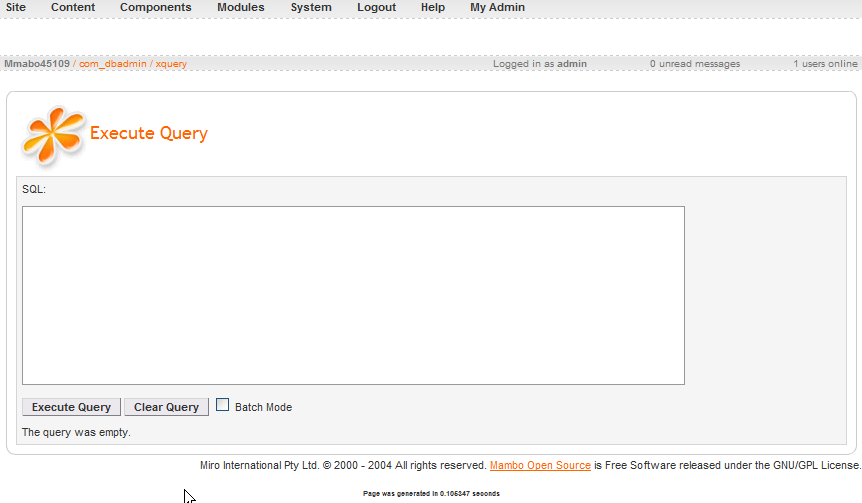
You could execute queries on your database right from the admin interface:
no need to access phpMyAdmin or another tool, very handy -if you know anything about writing your own sql queries that is.. :)

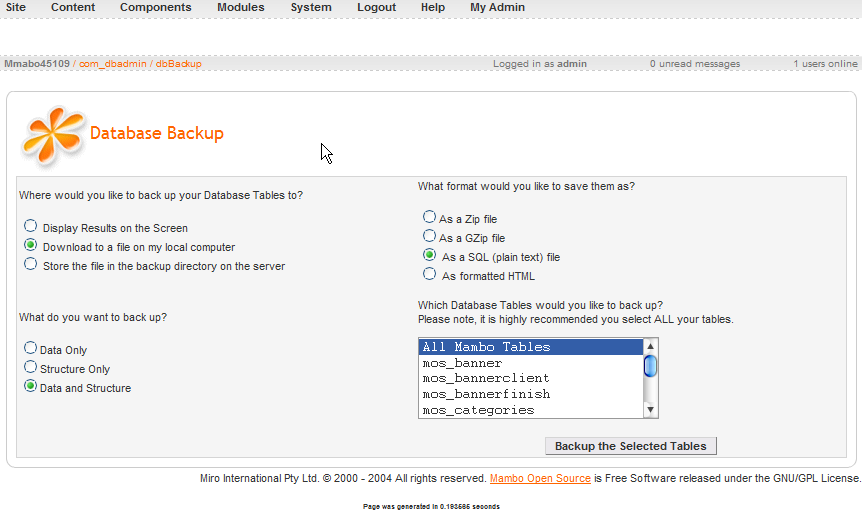
Backup functionality was very handy too.. still wonder why this
was completely removed from the code..?
Of course, backing up can be handled by extensions, but maybe
it would be better to be able to secure the content natively,
without having to install anything.

Labels: , ,

Friday, October 27, 2006

Evolution: adding a new menu item


Mambo 4.5.1.0.9 - I don't even remember how / if in this version
you could add new menus (not item, menu) ?!


Mambo 4.5.2 - a few more options, same system.


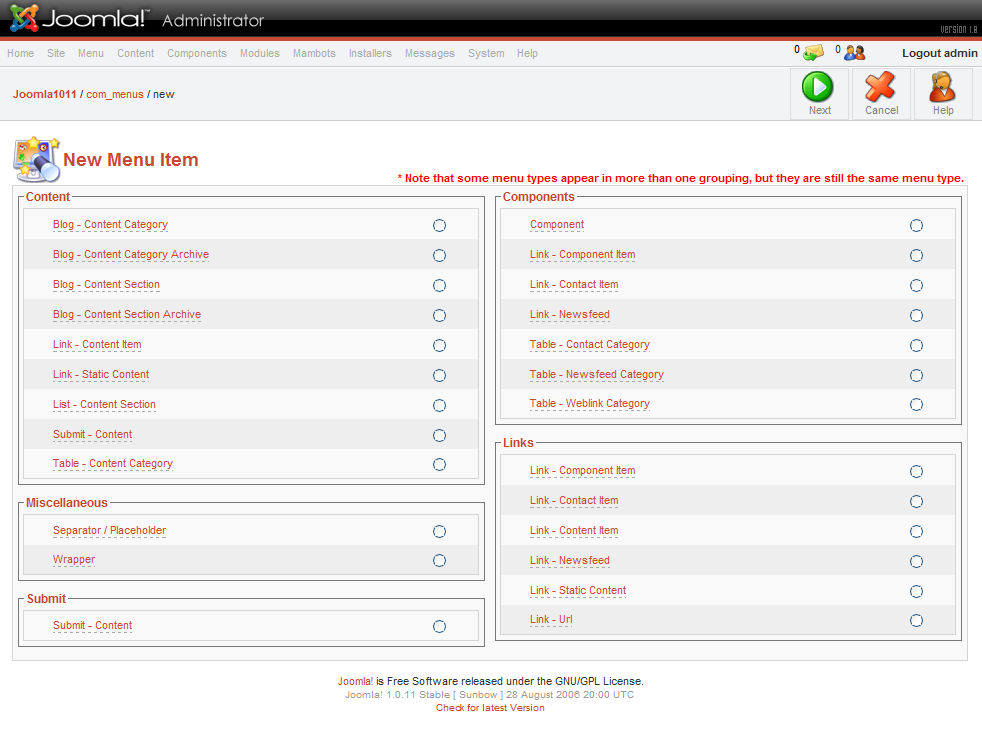
Joomla 1.0.11 - many more options, even duplicates now.


Joomla 1.5 beta: a much simpler 3 clic system:
select type,
select layout,
configure (on the next screen).

Labels: , , , , , ,

Friday, October 20, 2006

Joomla! 1.5 UI elements I do NOT like


The menu item parameters (not shown in full here) are a mess!
No real visual separation (like fieldsets), way too many options
all in one place, not enough explanations as to what all these settings will do
(try to explain Category Order + Primary Order results to someone..),
this really needs some work still (and is not final, I know) -it's a beta, baby :)


Already requested, not (yet?) done:
change the meaningless date selector button graphic above [...]
to something visual like this:

or anything else that looks like a calendar / date selector.


The Copy icon is much too pale, almost invisible on my laptop!
Just boost the edges / outlines slightly?!

The mix of underlined text and yellow warning icons in Configuration.
How is the user supposed to know he can rollover these icons to get a tooltip about the warning? The tooltip should be provided by the text label, same as for all other settings.

Personally, I don't like the grouping in the Configuration screens into just 4 items:
Site, Users, Content and Server.
It is NOT clear where to look for certain things, what would each of Site, Content or Server include?
Why is Statistics not under Content?
Why are Feeds considered Content, and not Site?
There's room enough in the submenus to provide a few more links to settings such as
SEO: Metadata and SEF URL usage or not..

Labels: , , , , , , ,

Thursday, October 19, 2006

1.5 beta Template screens part One


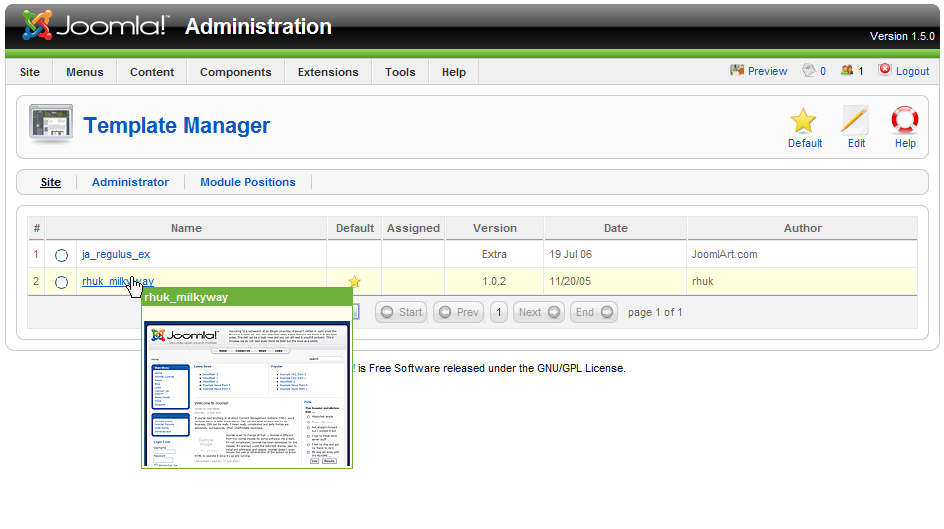
Template Manager with rollover preview thumbnail.
Notice the new "Default" button to select the main site/admin template.


Template Parameters are accessed by clicking a template name.
From here, you can set various params, as well as edit HTML and CSS files for this template. See next post.

Labels: , , , ,

1.5 beta Menus re-organization part Two


I skipped Components Menu, which lists all installed components (with sub-links if available).
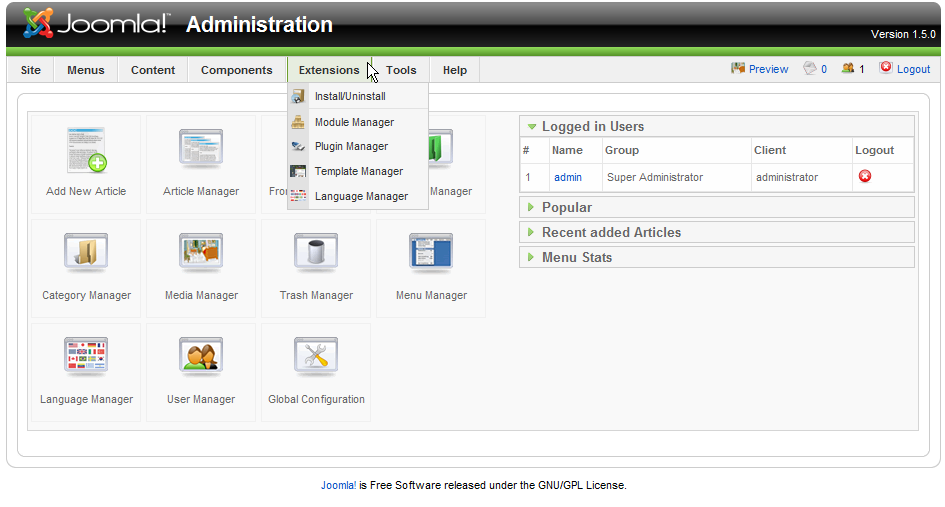
Here you can see the very simply Extensions Menu.
This provides single-click access to
* Extensions un/installation (for all types)
* 4 Managers for Modules, Plugins, Templates and Languages


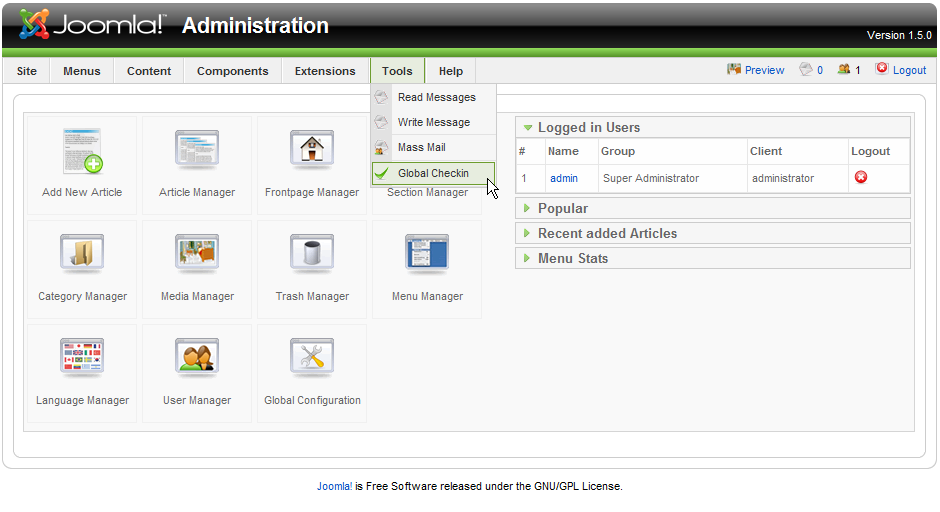
The Tools Menu groups
* admin messaging (between admins),
* Mass Mail (to contact site members) and
* Global checkin.
Help Menu provides all the Help content,
which is currently disabled (beta one), and system info.

Labels: , , , ,

 
Joomla 1.5 Blog Web