<body><script type="text/javascript"> function setAttributeOnload(object, attribute, val) { if(window.addEventListener) { window.addEventListener('load', function(){ object[attribute] = val; }, false); } else { window.attachEvent('onload', function(){ object[attribute] = val; }); } } </script> <div id="navbar-iframe-container"></div> <script type="text/javascript" src="https://apis.google.com/js/platform.js"></script> <script type="text/javascript"> gapi.load("gapi.iframes:gapi.iframes.style.bubble", function() { if (gapi.iframes && gapi.iframes.getContext) { gapi.iframes.getContext().openChild({ url: 'https://www.blogger.com/navbar/29423194?origin\x3dhttp://joomla15.blogspot.com', where: document.getElementById("navbar-iframe-container"), id: "navbar-iframe" }); } }); </script>

Sunday, May 06, 2007

Beta-2 Tabs in Article Parameters


Compared to 1.0, the tabs in 1.5 are much nicer: using Mootools, these are now sliding tabs with a nice animated effect. Look for some small differences in those article parameters... sure you'll discover them.
I'd like to refer to a post by Louis Landry here about precedence of parameter settings, as these are found in 3! different places for an article (that is, content component item):
it is supposed to work as follows

You setup the base component configuration. This is default behavior for the component in any scenario.

A menu item allows you to define a specific configuration for a component. This at its core is the most basic principle of what a menu item is. A specific configuration for a component. Because of this you are allowed to override the base component configuration.

The last step in the cascade of parameters is the specific data model for that request. In the case you are talking about that is the article parameters.

The idea is that an article can override anything that it needs to over even the menu item configuration. You will find that the ability to use global is still present at this level of configuration. This will revert to the menu item configuration for the component if an Itemid is given or the component configuration if no Itemid is given.
Original post here.

Labels: , , , , , ,

Sunday, November 05, 2006

Post beta Configuration changes


Global Config: only 2 submenus left here: site & server


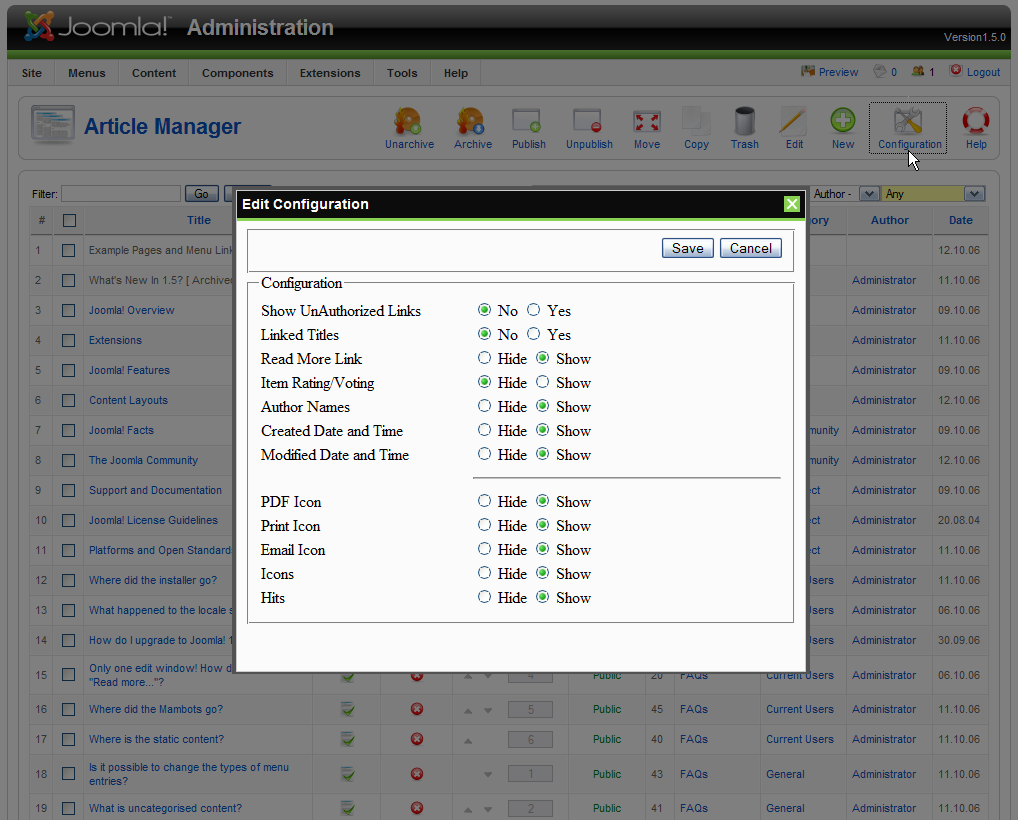
Config for Content: all article-relevant settings moved into
the new style config pop-up, easily accessible.


Configuration settings for users right in the user manager.

Labels: , , , , , , ,

Thursday, October 19, 2006

1.5 beta Menus re-organization part One


Site Menu now only holds
* Control Panel (admin home)
* User Manager
* Media Manager
* (Global) Configuration
* and a Logout link

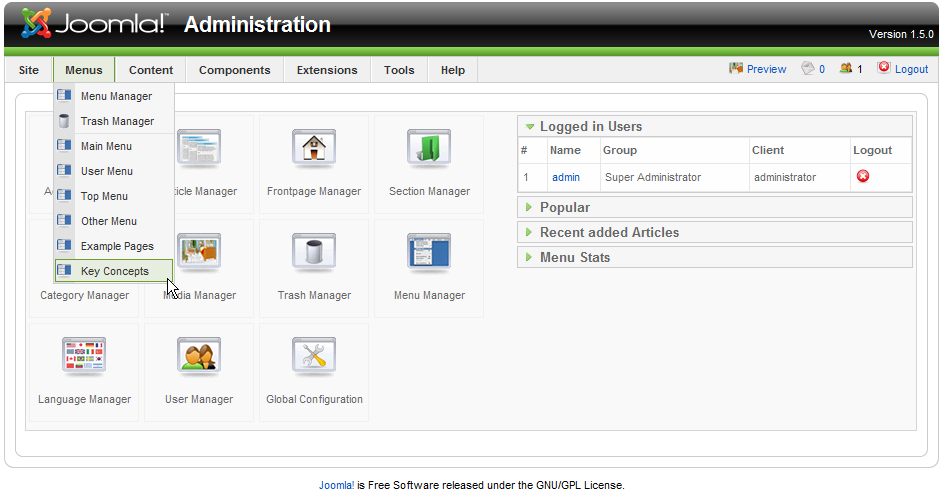
Menus Menu lets you add new menus and edit/create items for each of the existing menus, as well as access trashed menu items.

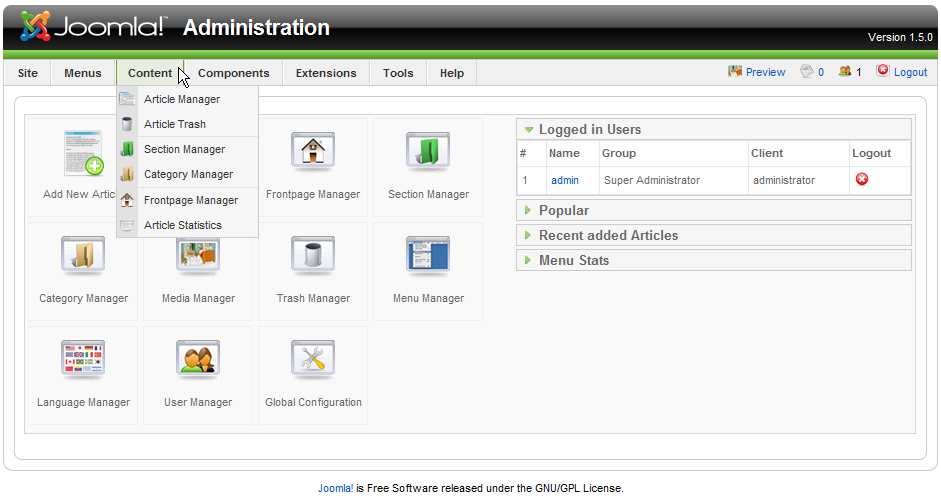
Content Menu now holds all article-relevant items:
* the Article Manager
* Article Trash
* Section and Category Managers
* Frontpage Manager
* Article (access) statistics

Labels: , , , , ,

Friday, October 13, 2006

Installing Joomla! 1.5


Let's have a look at the install of Joomla 1.5 (beta so far).
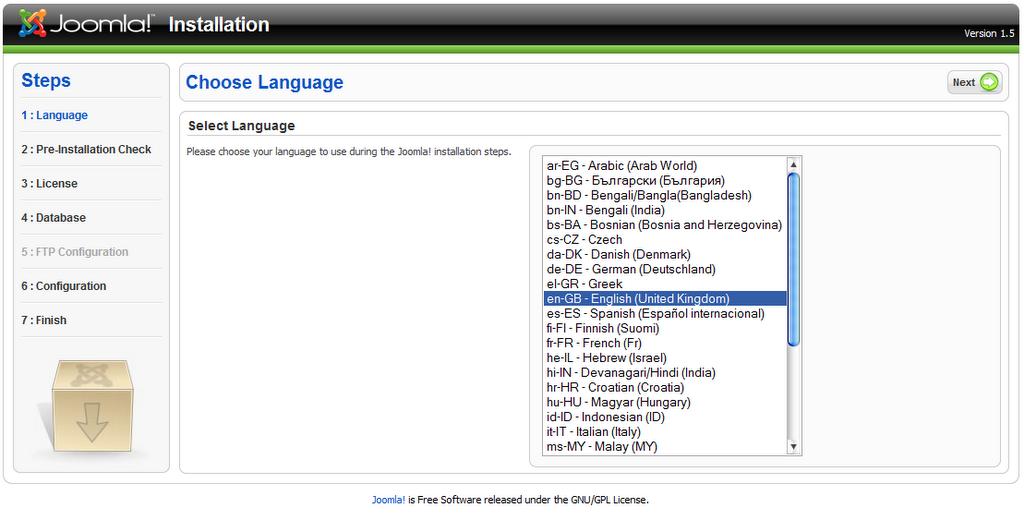
First, you select the language to be used for the install process.
All following steps will then be provided in a translated version!

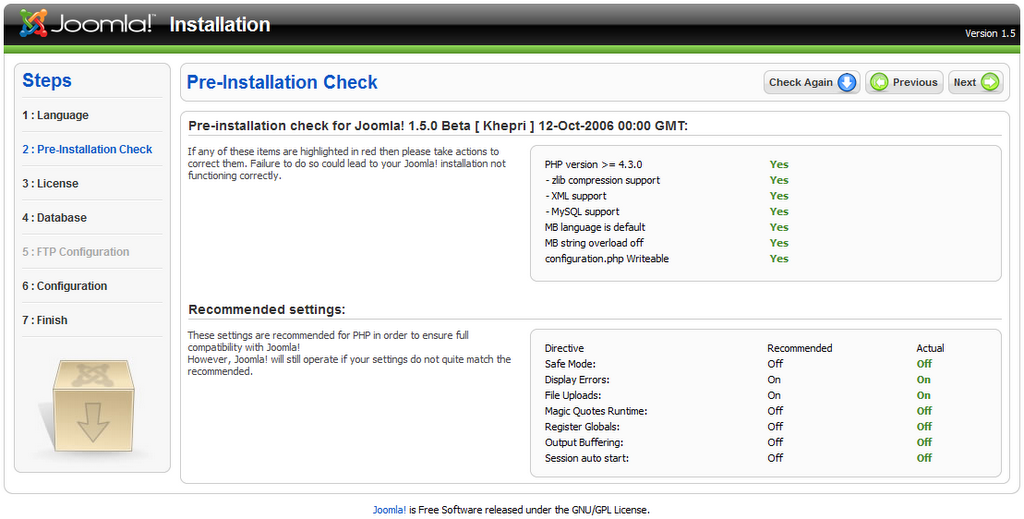
Then the installer checks your PHP etc versions,
and if support for requiered extensions is present;
items needing to be corrected will be highlighted.
Follows the License which you can (and should!) read yourself!

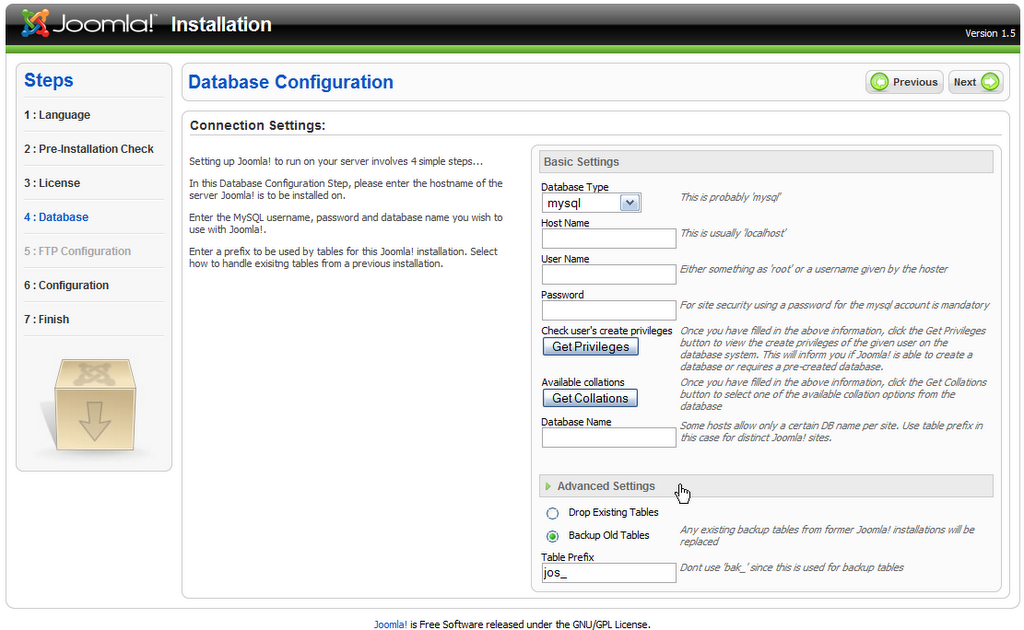
Database configuration is an important step; you will need
your hoster-provided or self-created user credentials here!
Please also note the Advanced Settings tab (closed by default)
which you will want to use for example to change the
table prefix (from default jos_ to whatever suits you) in
case you only have one databse, but want to run more
than one Joomla! site..


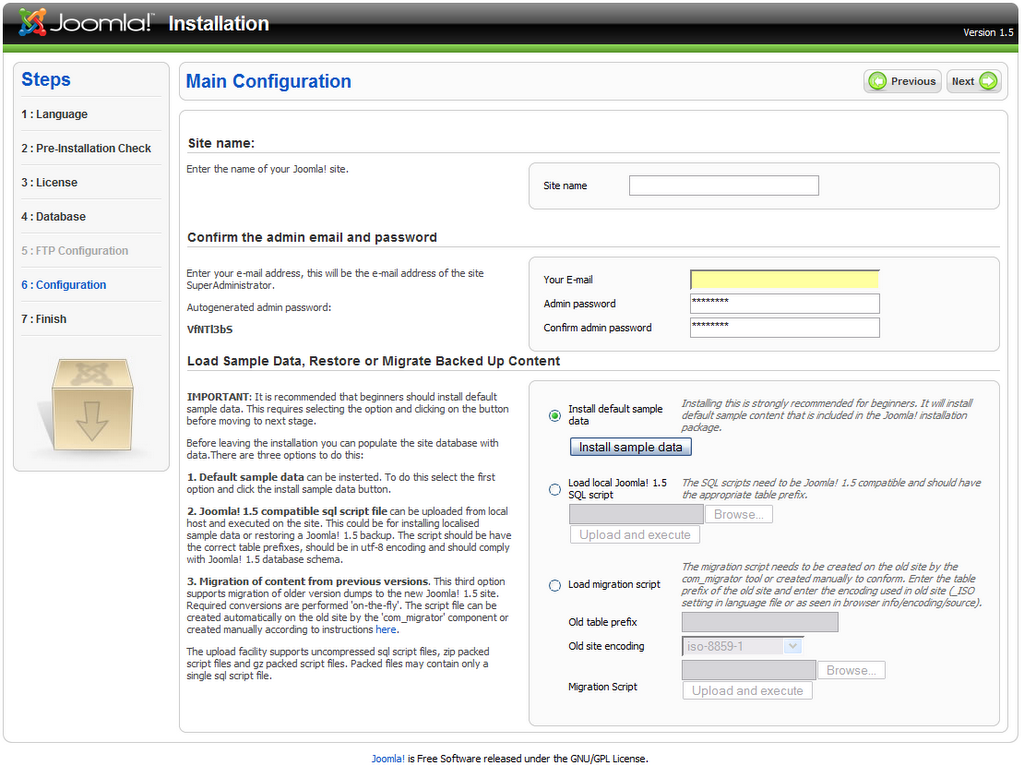
Finally, the last step before you finish lets you set the
main email for the site, admin password
(carefull if you don't use your own but accept the provided one: write it down, it can't be recovered!),
and also default content.
I strongly suggest you test-install the beta with the sample content,
it contains many helpfull details about new features, UI changes and so on!!
Once you're familiar with the interface, try out the migration tool:
install the component into any live site,
create migration file,
grab the created content file,
re-install (drop existing tables),
and instead of the sample content, load your migration script.
Then copy over your images/stories self-created media (images), and test the site.. have fun!

Labels: , ,

 
Joomla 1.5 Blog Web